
Simrad NEON™ 2.3 Software Update: New Features Now Available
We’re excited to roll out the new 2.3 software update for NSX®, NSX® ULTRAWIDE, and NSS® 4 displays. This release delivers new features, performance improvements, and expanded compatibility — all available via download or over-the-air when connected to the internet.

Quick Access Buttons
Quick Access Buttons Toggle chart layers, navigation modes, and key settings faster than ever.

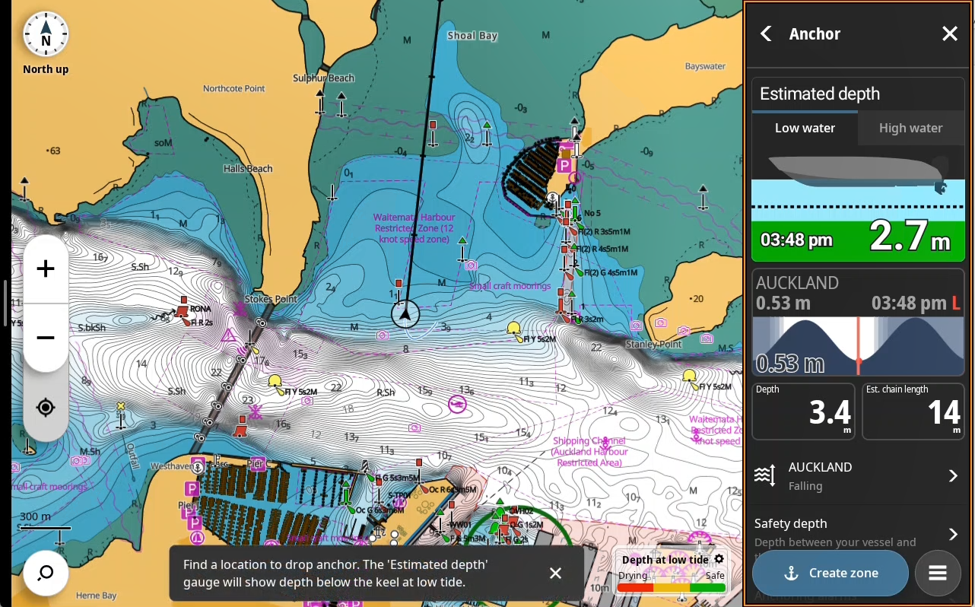
New Anchor Overlay
Locate, set, and monitor your anchor directly on the chart with an intuitive, built-in anchoring tool.
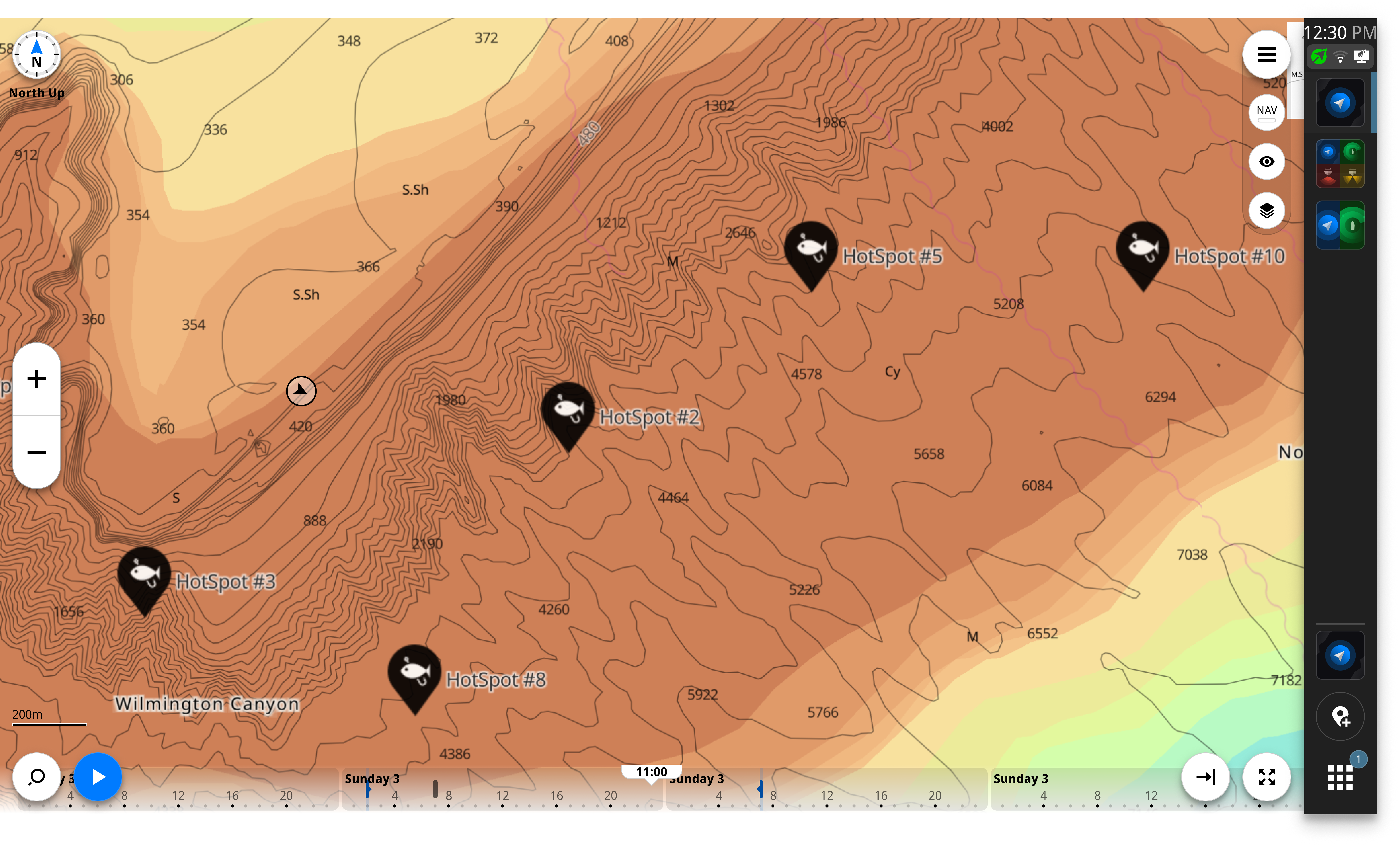
FishCast® powered by ROFFS® (New!)
This update enables FishCast® — A subscription-based offshore fishing intelligence tool that blends Fathom Science® forecasting with 30+ years of ROFFS® expertise—built for serious anglers who want clear, AI-powered, data-driven guidance on where to fish next.
*Subscription required via C-MAP®. Terms and conditions apply. Subscription requires a compatible Simrad device. No additional hardware necessary. Coverage at launch: U.S. East Coast, Gulf of Mexico, Bahamas, and northern Caribbean.
LENCO™ Trim Tab Control
A new control bar shows real-time tab position and allows direct control from the display.
Requires LENCO™ Pro Control hardware.

Engine & Fuel Updates
Mercury® Control Bar Enhancements
See essential engine data (RPM, trim, etc.) without opening the full Mercury app, and add the Mercury app to split-screen layouts.
Fuel App Reset Controls
Users can now reset Trip and Seasonal fuel values directly in the Fuel app, making trip planning easier.
Requires Navico® Fuel Data Manager or Fuel Flow Sensor.

AIS Improvements
View a full AIS target list, filter by vessel type, and open detailed vessel information.
Tracks & Logbook Upgrades
- Automatic Recording when traveling over 3 knots
- Trip Logbook Integration for easy trip storage and planning
- One-Touch Save & Reset to start fresh while keeping past history
Echo Improvements
Color Erase: Remove unwanted colors on your sonar for a cleaner, more focused picture.
StructureScan® 3D Support: StructureScan 3D connections are now properly recognized, with a companion SS3D module update available online.
Plus:
- Instruments Upgrades
- Autopilot Improvements
- Home Page Improvements
- And much more.
FishCast® powered by ROFFS® (New!)
This update enables FishCast® — A subscription-based offshore fishing intelligence tool that blends Fathom Science® forecasting with 30+ years of ROFFS® expertise—built for serious anglers who want clear, AI-powered, data-driven guidance on where to fish next.
*Subscription required via C-MAP®. Terms and conditions apply. Subscription requires a compatible Simrad device. No additional hardware necessary. Coverage at launch: U.S. East Coast, Gulf of Mexico, Bahamas, and northern Caribbean.
Engine & Fuel Updates
Mercury® Control Bar Enhancements
See essential engine data (RPM, trim, etc.) without opening the full Mercury app, and add the Mercury app to split-screen layouts.
Fuel App Reset Controls
Users can now reset Trip and Seasonal fuel values directly in the Fuel app, making trip planning easier.
Requires Navico® Fuel Data Manager or Fuel Flow Sensor.
AIS Improvements
View a full AIS target list, filter by vessel type, and open detailed vessel information.
Tracks & Logbook Upgrades
- Automatic Recording when traveling over 3 knots
- Trip Logbook Integration for easy trip storage and planning
- One-Touch Save & Reset to start fresh while keeping past history
Echo Improvements
Color Erase: Remove unwanted colors on your sonar for a cleaner, more focused picture.
StructureScan® 3D Support: StructureScan 3D connections are now properly recognized, with a companion SS3D module update available online.
Plus:
- Instruments Upgrades
- Autopilot Improvements
- Home Page Improvements
- And much more.
How to Update
- Download the latest update for your display at: simrad-yachting.com/downloads
- Follow the on-screen instructions, or start the update from: Settings → General → Software Updates
- or via the Alerts pop-up when the card/USB is inserted.
- Or connect your chartplotter to WIFI and update over the air through the settings app.